
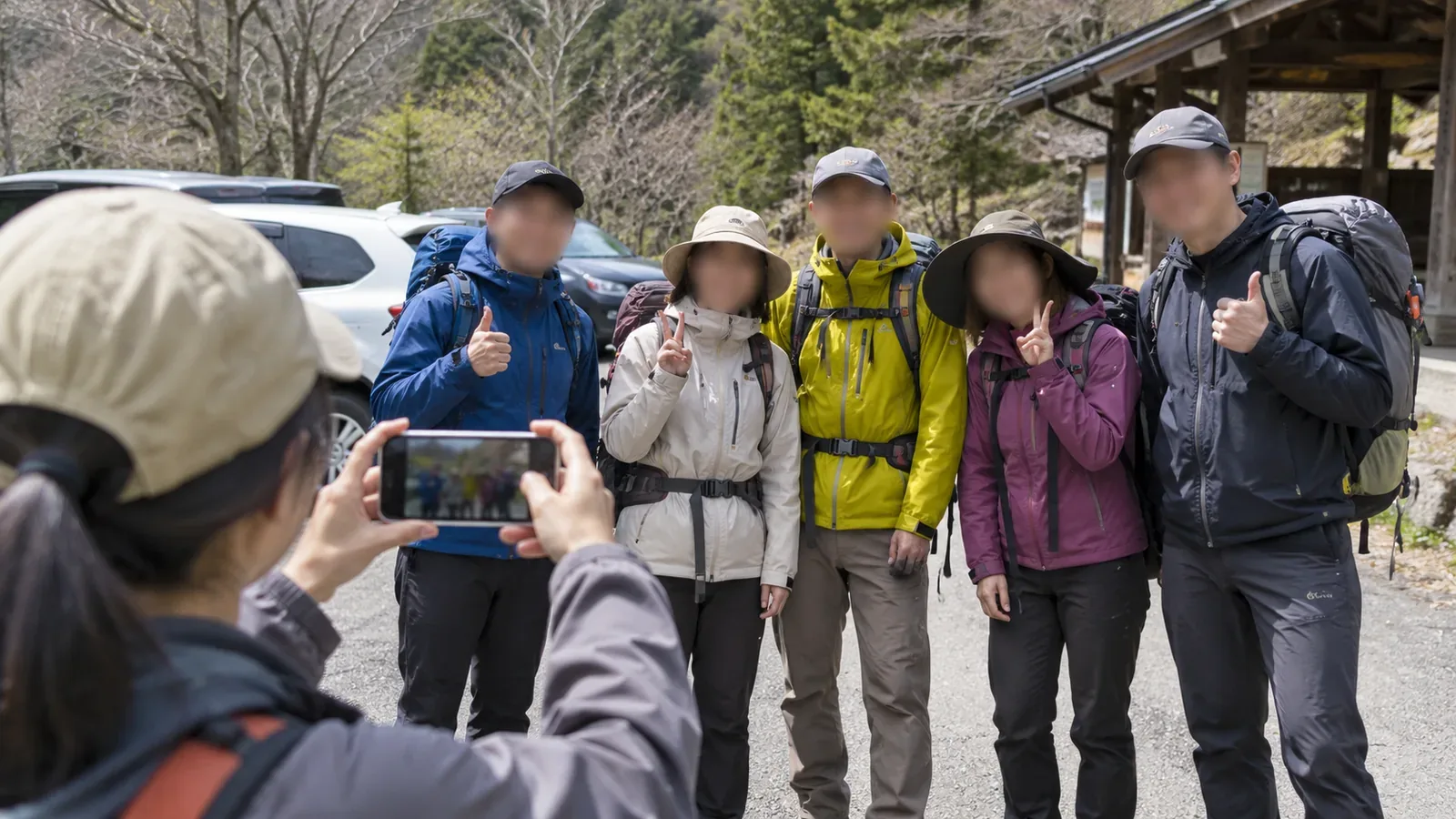
Before adding a meetup photo to a hiking log, check whether it reveals details about your companions’ lives along with the hike. Before publishing, confirm which photo the people pictured are happy to share and who can see it. Drawing on Japan’s Personal Information Protection Commission and YAMAP’s official help as checked on October 29, 2026, we look at the photo, caption and audience in that order.
Check faces, the background and the caption together
Japan’s Personal Information Protection Commission says photos and videos can contain faces, names, addresses, contact details, account IDs and location data. It advises taking care with information about other people as well as your own. You may know the meeting place well, but the people pictured should have a say in how much others learn about it.
Check faces, name tags on clothing or packs, signs that identify a workplace or school, license plates, and station names or buildings in the background. These are examples the editorial team suggests for hiking meetups. One clue alone may reveal little. Zoom in to check the edges and background as well as the area around people’s faces.
Review the caption as part of the same post. For example, before captioning a photo in front of a station with “This is the closest station to my friend’s home” or “We always meet here after work,” ask whether the hike needs that detail. You can describe getting to the trailhead and what the mountain was like without describing anyone’s routine.
Check the exact photo and audience with the people pictured
The commission’s social media guide encourages checking with friends before posting a photo taken with them. The guide aims to build digital literacy and says its terms may differ from legal definitions. We use it here to help you discuss what to publish with your hiking companions. Legal obligations depend on the circumstances.
Show the specific photo and caption, where you want to post them and who will be able to see them. Agreement to join a hike or be in a group photo doesn’t cover publishing the photo online. If someone hasn’t replied, wants a different photo or hasn’t agreed on who can see it, hold off on posting that photo.
People in the same group may want to be shown in different ways. Discuss options with them, such as choosing a photo without faces, leaving out names and details of their lives, or using only photos of the mountain. If you edit an image, review the result and the caption. After covering faces, check name tags and text as well.
Check YAMAP’s photo, log and audience list settings separately
YAMAP’s official help explains how to make a photo private and how to hide where it was taken. Hiding the location leaves visible name tags and cars in the image and leaves the caption as written. If you don’t want people to see the image itself, decide whether to include it.
YAMAP explains how to make an activity log public or private in the editor. A public log appears in followers’ feeds and is available on the open internet. You can use a restricted-audience list to limit the log to selected YAMAP users. If you mean to show it only to companions, check who is actually on the list.
The list may suggest people you follow and people added to an activity log or trip plan. YAMAP also allows you to search by username or user ID. You can find people beyond the initial suggestions. Check you have the right account. Only YAMAP users can be added.
Changes to list membership apply to all logs that use the same list. Before adding a new companion, check whether it’s used for older logs with group photos. YAMAP also says that the total number of summits reached and earned badges stay public even when the log has a restricted audience. Check the audience of a log and the visibility of other account details separately.
Keep the hiking record and leave out any photo you’re unsure about
Before posting, show the chosen photo and caption to the people in it. Check the audience once you have agreed what to include. Ask about the photo even if you’re using a restricted audience. If you can’t confirm the image or who can see it, leave it out or keep the log unpublished. You can check the settings without first making a photo with personal details public.
If a group photo at a station shows a name tag and license plate and you haven’t checked with the people pictured, try building the log around the view from the summit or trail conditions. You can show what mattered about the hike without the meetup photo. If you add it later or expand the audience, confirm the photo and the new audience again.
If someone raises a concern about a photo you already posted, check who can see the log and the photo. Edit the photo or caption and confirm the change with them. The commission says it’s extremely difficult to remove an image completely once it’s online. Other copies may remain after you edit your post. Check before publishing.
Tell the story of the hike without sharing your companions’ private lives
Before adding a group photo, review faces, name tags, cars and the background alongside any personal details you plan to put in the caption. Show the actual photo and text to the people pictured and confirm who will be able to see it. Leave out photos you’re unsure about and choose what you want to show about the hike.
On YAMAP, distinguish making a photo private, hiding its location, changing a log’s audience and editing a restricted-audience list. Check which older logs a list change would affect. Next time you choose a meetup photo, check with the people in that exact image before posting it.
References and sources
- Japan Personal Information Protection Commission · What to watch for in photos and videos
- Japan Personal Information Protection Commission · Checking with friends before posting on social media
- YAMAP · Restricted-audience lists and which logs they affect
- YAMAP · Making activity logs public or private
- YAMAP · Photo visibility and hiding where a photo was taken