
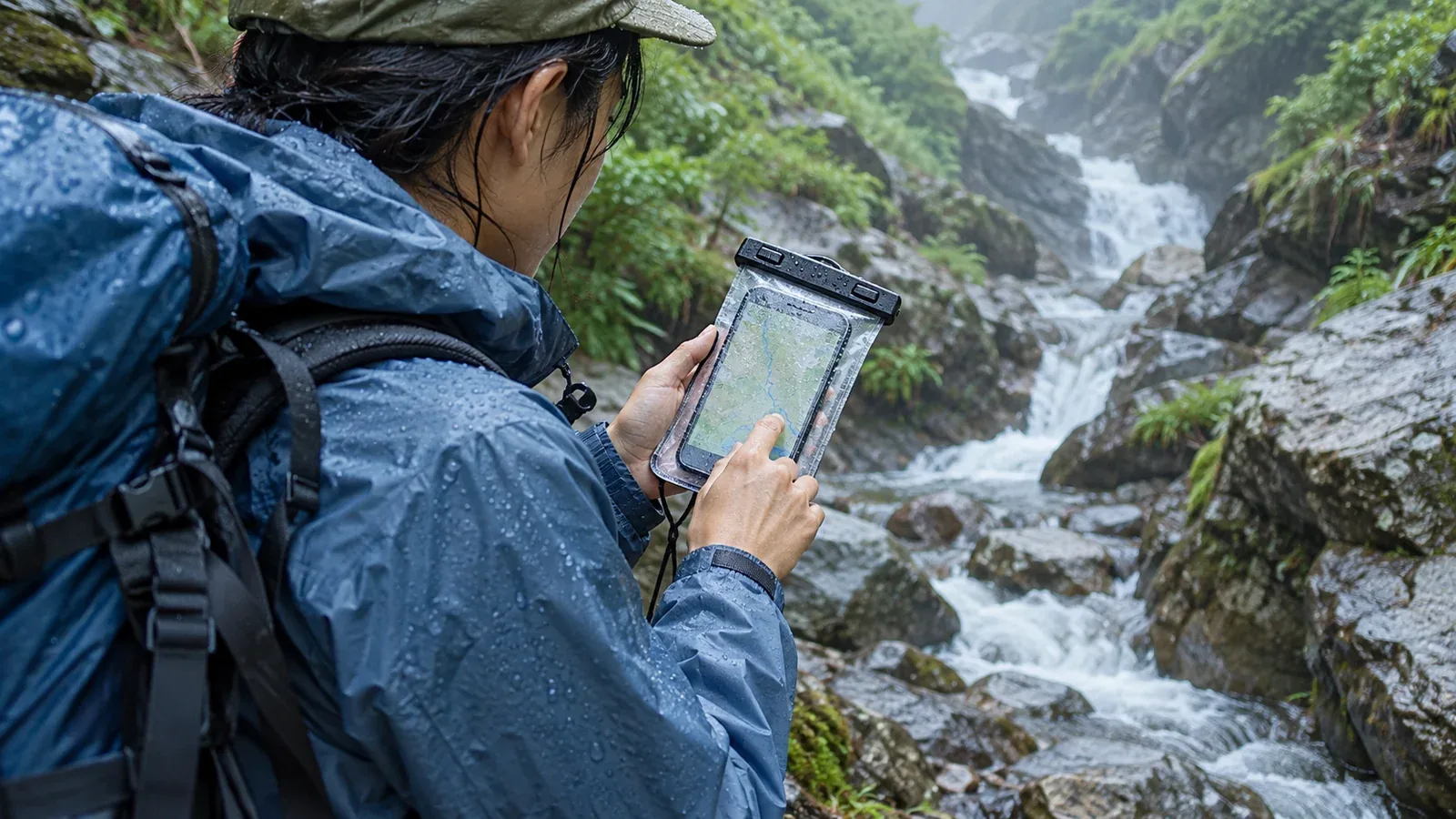
A phone can get wet in heavy rain, from spray beside a stream, in a sweaty pocket or when moisture condenses. If you use it for maps or emergency calls, keeping it dry belongs on your pre-hike checklist alongside checking the battery.
An IP rating describes tests under defined conditions. This guide explains what the rating covers, how to choose a pouch or case and what to do after exposure to water.
What an IP rating can tell you
In the IEC 60529 IP code, the first character after IP gives the solids protection rating and the second gives the water protection rating. In IPX7 or IPX8, the X leaves the solids rating unspecified. IPX7 is for temporary immersion. Phone makers commonly list it as a test at 1 metre for 30 minutes. IPX8 covers immersion under conditions specified for the model. Check the depth, duration and other conditions in your phone’s specifications.
Manufacturers test phones in controlled conditions. Rain and streams can expose the phone to moving water, dirt and repeated wetting. Water resistance can decline with wear, impacts, damage or repair. Check any covers and seals that the model or case requires.
Immersion and water-jet tests are different. An immersion rating alone does not establish protection against pressurised spray. Check the manufacturer’s instructions for the exposure you expect and use a suitable pouch when needed.
Choosing a pouch or case
Three common types offer different levels of protection and access to the screen and controls.
Clear sealed pouches
Clear pouches close with a seal such as a locking bar, zip or roll top. Check that the pouch fits the phone with the case you plan to leave on. Touch response through the film varies, particularly when wet or with gloves. If the pouch has an IP rating, check its own test conditions and use instructions.
Look for these features before you buy or pack one.
- A seal you can close correctly. Follow the instructions for the particular closure. Check the sealing surfaces for sand, hair and other debris. Test an empty pouch as directed by its maker.
- A suitable size. Make sure the phone sits inside without stretching the pouch or blocking the seal, including with the case attached if you use one.
- An attachment point you can use safely. Check where you can attach a tether or clip. Keep it accessible and secure without putting a loose cord where it could snag.
Rigid waterproof cases
Rigid sealed cases usually fit a specific phone model. Some let you use buttons and the touchscreen while the case is closed. Specialist underwater housings have their own depth limits and operating instructions.
Check the exact model and fit before using the case. Inspect the gasket, remove any dirt and close the case evenly. If the manufacturer calls for a leak test, follow it before putting the phone inside.
Soft cases for everyday use
A soft case made mainly for daily handling may protect against bumps or light splashes. Check what the case actually claims to resist. For prolonged rain or spray near a stream, use protection rated for the expected exposure and have a dry place to store the phone.
Habits that help keep the phone dry
How you use and close the case matters as much as which one you choose.
Inspect the seal before closing. A hair, grit or a damaged gasket can create a path for water. Clean and close it as the pouch or case maker specifies.
Protect the phone inside the pack. Water can get into pockets through seams or openings. Put the phone in a suitable pouch or dry bag inside an accessible pocket.
Allow for condensation. A cold phone can collect moisture when brought into warm, humid air. Let it warm gradually in a dry place and check for moisture before using or charging it.
Keep covers closed and connectors dry. If your phone or case has a port cover, close it as directed before exposure. Connect a charging cable only when the connector, cable and phone are dry.
Keep the spare battery and cable dry as well. Carry them in a sealed bag or protected compartment so they remain usable if the outside of the pack gets wet.
What to do if the phone gets wet
Move to a safe, dry place if possible. If the phone is working and you urgently need help, use it for the call while you can. Do not enter fast water to retrieve a dropped phone. Once you are safe, follow the guidance for your model.
- Unplug accessories and assess the exposure. If the phone fell into water, turn it off once you can do so safely and follow the manufacturer’s instructions. Surface spray and immersion may need different responses.
- Wipe it and let it dry in air. Use a soft, lint-free cloth and leave it in a dry place with airflow. Follow the manufacturer’s directions for draining liquid from the port. Avoid direct heat, compressed air, objects in the port and bags of rice.
- Wait before restarting or connecting anything. Follow the drying and inspection instructions for your model. The time depends on the exposure and the device. If problems continue or you suspect water got inside, contact the manufacturer or a repair service.
- Charge only once everything is dry. Keep the cable unplugged if the phone shows a liquid warning. Follow the device’s guidance rather than overriding the warning for routine charging.
Download maps before leaving, and carry a paper map and compass that you know how to use. A water-damaged phone may lose access to both downloaded maps and calls.
Before your next hike
Find your phone’s rating and the maker’s advice for liquid exposure. Check the fit and seal of your pouch before you need it, and protect your spare power and cable. When you have a connection, you can use Nordwand to share trip logs or discuss the route with other hikers.
References
- IEC 60529: international standard for enclosure protection ratings
- Phone makers’ specifications and advice on water resistance and liquid exposure